tapas55 Puts Casino, Slots and Sports Together
tapas55 places Live Blackjack Salon, Crash Fast Lift, Fortune Fishing Game and football markets in one lobby, with DANA, OVO, GoPay and QRIS visible before you…
Find Casino and Slots Without Detours
Casino and slots sit together on our home lobby, so you can move from Live Blackjack Salon to Crash Fast Lift without searching through separate account areas.
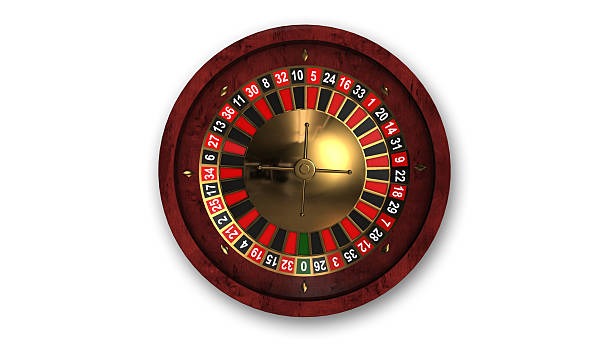




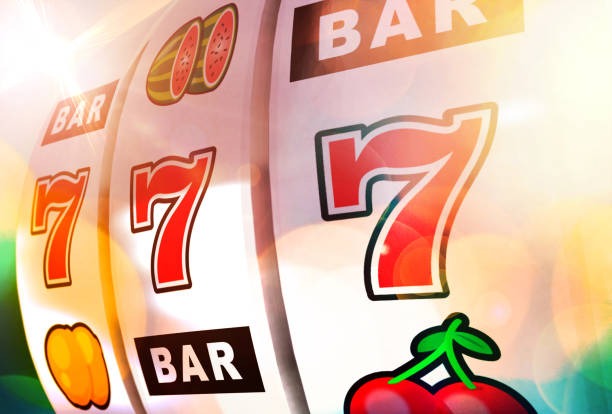


Switch Games Without Leaving the Main Lobby

Specific categories make the home lobby useful before you commit to a session. Live Blackjack Salon provides a direct route to a dealer table, while Crash Fast Lift and Fortune Fishing Game give you two different arcade-style choices beside the slot rooms. The sportsbook adds football, badminton and basketball markets without requiring another account. We keep these areas under one
navigation bar, and recently opened categories remain easy to reach when you return. On a smaller screen, the category row scrolls horizontally rather than compressing every label, helping you move between casino, slots and sports with fewer mistaken taps.
See the Home Setup at a Glance

Reach Your Account Through Clear Phone Checks
Opening an account begins with your account details and a reachable phone number. We use phone verification before account access, which reduces confusion over whether the account setup has finished. After the check is complete, the same credentials take you from the home page to casino games, slots, sports and the cashier. Keep the phone number accurate because it connects
your access path with later account checks. If a verification step stalls, return to the account area rather than creating another profile; the help route beside the login path is intended for that situation. Access depends on local law.
Browse Casino and Slots Beside Wallet Status
Track Transfers Before Requesting a Withdrawal
Payment status is visible from the cashier path rather than hidden inside the games catalogue. For DANA, OVO and GoPay, choose the matching wallet and confirm the account details shown for that transaction. QRIS uses the displayed code path, while bank transfer and virtual account provide their own reference steps. Deposits and withdrawals are separate requests, so a completed deposit
does not bypass withdrawal checks. Before we process a withdrawal, account and transaction details may need verification. Keep your receipt or bank reference until the status changes, and use the nearby help path if a transfer remains unresolved.
Check the Details Behind Every Account Step
Useful trust signals should be visible in the way the home page works. We name each supported Indonesian payment rail, require phone verification before account access and keep transaction status connected to…
Named payment rails
DANA, OVO, GoPay and QRIS appear by name in the cashier. Bank transfer and virtual account are shown as distinct routes, reducing uncertainty about which payment path you selected.
Phone verification
A reachable phone number is checked before account access. This gives you a clear completion point during setup and a defined account route if login access later stalls.
Visible game categories
Live tables, slots and sports use separate category labels. Concrete titles such as Live Blackjack Salon and Fortune Fishing Game help you confirm what will open before leaving the home lobby.
Policy access
Account, privacy and regional access terms are available from the home footer. Check them before opening an account because service availability depends on local law and your location.

Keep One Mobile Path From Login to Lobby
A phone browser takes you from the login area to the home lobby through one navigation path. The category row can be moved sideways on a narrow screen, leaving room for casino, slots and sports labels without shrinking them into unreadable controls. Slot search sits within the lobby, and QRIS remains accessible through the cashier when you need to scan
or continue a payment step. Live tables may depend more on your connection because dealer video is streamed in real time. If you switch to a computer browser later, use the same verified account rather than starting a separate profile.
Choose DANA, OVO, GoPay or QRIS
Your home cashier separates wallet rails from bank-based methods so the next step is clear before you submit anything.
Return to Casino and Slots on Mobile
Casino and slots remain reachable from the same home categories when you come back through a phone browser, with search helping you locate a known title without moving…
Protect Access With Phone Verification and Receipts

Account security starts with details that only you should control. Use a reachable phone number during verification, keep your credentials private and avoid creating duplicate profiles when a login attempt fails. The home account route provides the right place to check access, while the cashier keeps payment requests tied to the verified profile. For DANA, OVO, GoPay, QRIS, bank transfer
or virtual account activity, retain the receipt and reference until the status is settled. A support check is easier when you can identify the payment rail, request state and account involved without sharing credentials through unrelated pages.
Resolve Login and Wallet Status Stalls
Help is positioned around the two places where you are most likely to need it: account access and the cashier. A login issue should be handled through the account help path, while a DANA, OVO, GoPay or QRIS delay belongs with the matching transaction status. We may ask for the payment rail, request reference and receipt, but not for you to open another account. For bank transfer or virtual account checks, confirm whether the displayed reference was used. This focused route gives us the details needed to trace the issue without making assumptions about completion time.
Login access help
Use the help path beside the account area when phone verification or login access stalls. Keep your registered phone available and avoid opening a duplicate profile while the original account is checked.
Wallet status check
Start from the transaction status linked to DANA, OVO, GoPay or QRIS. Naming the correct rail and request gives us a clearer basis for checking what happened.
Receipt and reference check
For bank transfer, virtual account or wallet requests, retain the receipt and displayed reference. These details connect your question to a specific cashier action without requiring you to share account credentials.
Check Local Access Before Opening Your Account
Availability is a location question as well as an account question. Our home page is configured for Indonesia with DANA, OVO, GoPay, QRIS, local bank context and sports categories that include football, badminton and basketball, but access depends on local law. Read the regional and account terms linked from the footer before opening an account or sending a payment. The
same principle applies when travelling: a working phone number or familiar wallet does not by itself establish eligibility. Where access is available, complete phone verification first and use the named cashier rail that matches your own payment account.
Get Clear Answers About tapas55 Home
These answers address the practical questions you may have before using the tapas55 Home page: what sits in the lobby, how phone verification works, which Indonesian payment rails appear and where to check a stalled transaction. They also explain mobile access, game categories and regional availability without assuming that every payment or withdrawal follows the same timing. For account-specific issues, begin with the help path beside login or the cashier status attached to the relevant request. Keep your phone, receipt and transaction reference available when a check is needed.